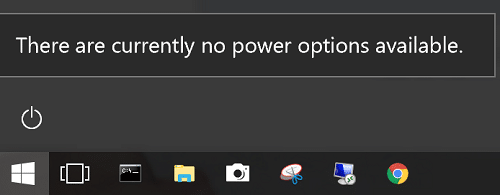
There are currently no power options available error.

1. Press Windows + R keys & type: secpol.msc
2. The Local Security Policy window will open.
3. Click: Security Settings – Local Policies – User Rights Assignment, go to policy: Shut down the system
a. Use Properties to open a window which allows you to add your user id or group. Add current user of group.
b. Once your user or group has been added, click OK.
4. Restart your system.
5. After you log on, you should see Restart & Shutdown options.
Note : If you think there is any mistake in this article do no hesistate to comment.
For more Articles like this visit :https://uddhavgajare.in/articles/
Leave a Reply