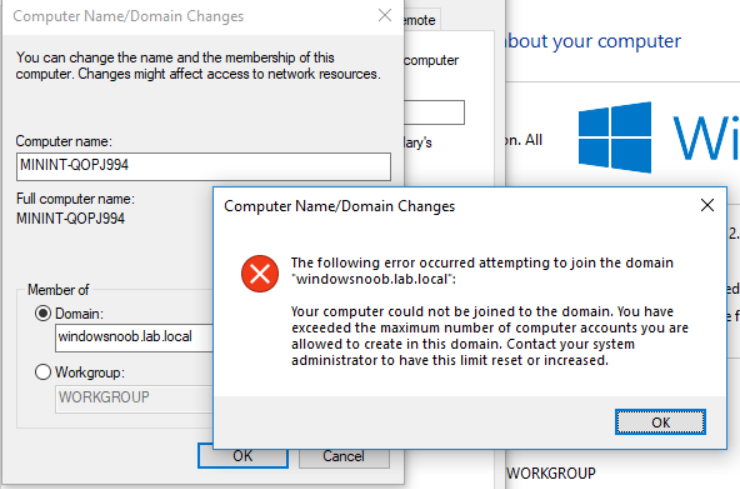
ERROR:

Solution : To fix this, on the domain controller, start up adsiedit.msc and browse to the DC=… of your domain. Select it and right click, choose Properties.
Note: If you cannot find DS-MachineAccountQuota when you select Properties, then ensure that you have connected to the Default naming context in ADSI Edit (and not some other context such as Schema, RootDSE or Configuration. To change the context, select ADSI Edit in the left pane, then click on Action, and then Connect to. Select Default Naming Context.


Once done, you’ll be able to find the ms-DS-MachineAccountQuota attribute by selecting Properties.

Scroll down to
ms-DS-MachineAccountQuota,
notice that the default value is 10.

Change it to something larger, like 100 or 1000.If done Properly this should solve your problem.

Leave a Reply